GPU Jobs
GPU resources are available on selected compute nodes. To run GPU applications, the job must be submitted to a GPU-enabled partition.
Devana GPU nodes are equipped with NVIDIA A100 GPUs.
Available partitions:
- testing – one NVIDIA A100 GPU, intended for short testing runs
- gpu – up to four NVIDIA A100 GPUs, intended for production jobs
Perun GPU nodes are equipped with NVIDIA Grace Hopper GH200 GPUs.
Available partitions:
- gpu_short / gpu_medium / gpu_long – GPU nodes (4× GH200 per node) intended for accelerated workloads
Specific parameters of GPU/hybrid jobs
| Option | Description |
|---|---|
--partition=<gpu partition> |
Request the job in a GPU partition (Devana: gpu; Perun: gpu_short/gpu_medium/gpu_long). |
-G ? |
Allocate the given number of GPUs for the job. |
--mem-per-gpu=?GB |
Set the memory requirement per GPU. |
Please read man sbatch for more options.
GPU job example
As an example, let's look at this minimalistic GPU batch job script launching a CUDA-compiled application on 2 GPUs:
The script below targets Devana — on Perun, use one of the gpu_short, gpu_medium or gpu_long partitions instead of gpu.
cat gpu_run.sh
  #!/bin/bash
  #SBATCH -p gpu
  #SBATCH -G 2
  #SBATCH -o output.txt
  #SBATCH -e output.txt

  module load cuda/12.0.1

  ./jacobi -nx 45000 -ny 45000 -niter 10000
If no project account is specified, the job will run under the user's
default account. In this example, both stdout and
stderr are redirected to output.txt.
GPU Usage Monitoring
You can use the nvidia-smi tool to display the information about GPU utilization by your applications. In order to do that
you have to log into the specific node running the application.
In this example, we will launch the script above and find out that it is running on node n142:
sbatch gpu_run.sh
  sbatch: slurm_job_submit: Set partition to: gpu
  sbatch: slurm_job_submit: Job's time limit was set to partition limit of 2880 minutes.
  Submitted batch job 41029

squeue -u user
  JOBID PARTITION     NAME        USER ST       TIME  NODES NODELIST(REASON)
  41029       gpu   gpu_run.sh user  R       0:04      1 n142
Then we can connect to the node and run nvidia-smi.
Nvidia-smi command and GPU usage
ssh n142
  Last login: Tue Oct  3 11:41:43 2023 from login01.devana.local
nvidia-smi
  Wed Oct  4 09:59:53 2023
  +-----------------------------------------------------------------------------+
  | NVIDIA-SMI 525.85.05    Driver Version: 525.85.05    CUDA Version: 12.0     |
  |-------------------------------+----------------------+----------------------+
  | GPU  Name        Persistence-M| Bus-Id        Disp.A | Volatile Uncorr. ECC |
  | Fan  Temp  Perf  Pwr:Usage/Cap|         Memory-Usage | GPU-Util  Compute M. |
  |                               |                      |               MIG M. |
  |===============================+======================+======================|
  |   0  NVIDIA A100-SXM...  On   | 00000000:17:00.0 Off |                    0 |
  | N/A   42C    P0   249W / 400W |   8179MiB / 40960MiB |    100%      Default |
  |                               |                      |             Disabled |
  +-------------------------------+----------------------+----------------------+
  |   1  NVIDIA A100-SXM...  On   | 00000000:31:00.0 Off |                    0 |
  | N/A   44C    P0   237W / 400W |   8179MiB / 40960MiB |    100%      Default |
  |                               |                      |             Disabled |
  +-------------------------------+----------------------+----------------------+

  +-----------------------------------------------------------------------------+
  | Processes:                                                                  |
  |  GPU   GI   CI        PID   Type   Process name                  GPU Memory |
  |        ID   ID                                                   Usage      |
  |=============================================================================|
  |    0   N/A  N/A     40679      C   ./jacobi_test                    8146MiB |
  |    1   N/A  N/A     40679      C   ./jacobi_test                    8146MiB |
  +-----------------------------------------------------------------------------+
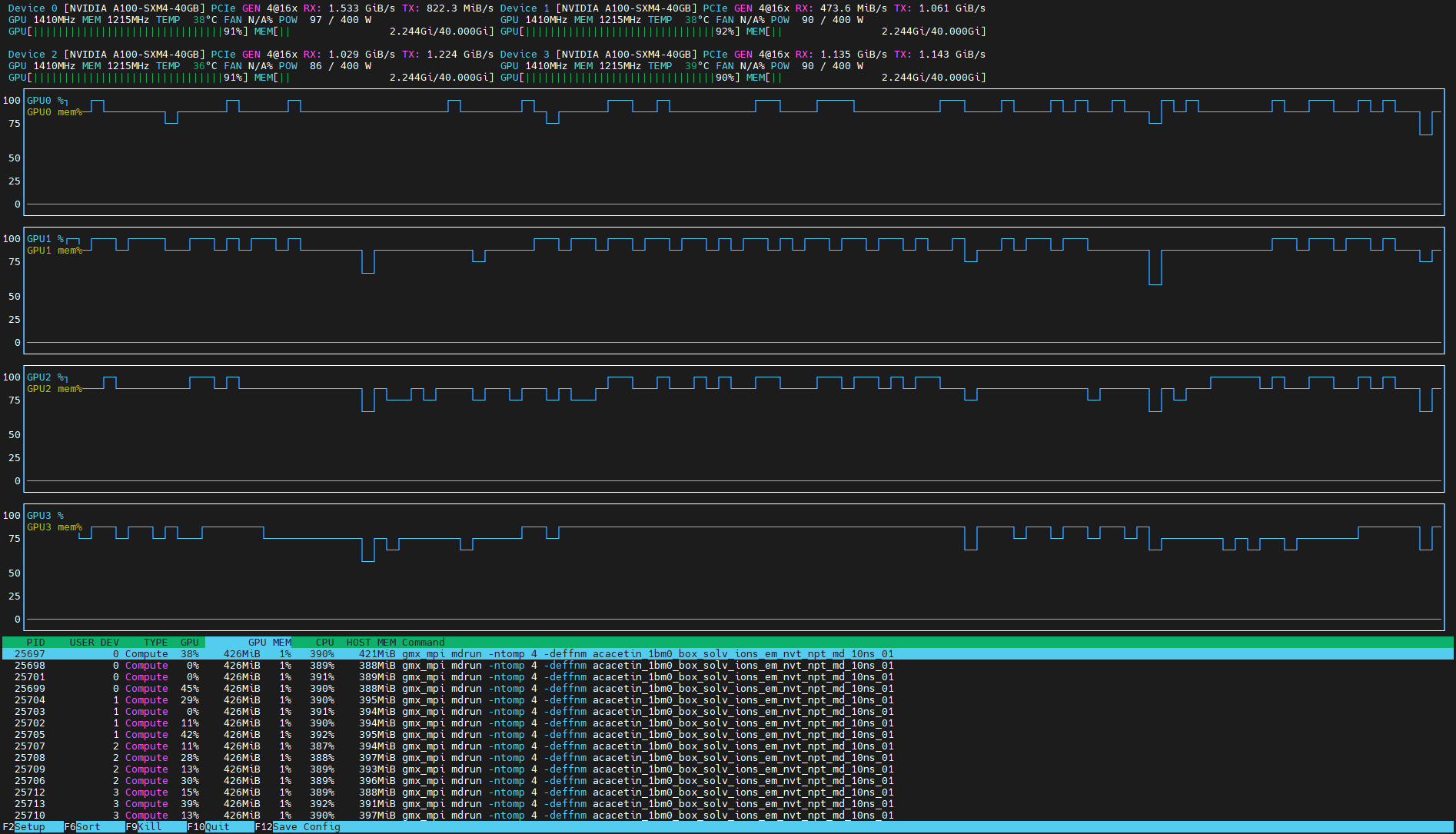
Alternatively, we can use the utility nvtop, which is available as a module.
Nvtop command and GPU usage
ssh n142
  Last login: Tue Oct  3 11:41:43 2023 from login01.devana.local
module load nvtop
nvtop
Restricted SSH access
Please note that you can directly access only nodes where your application is running. When the job is finished, your connection will be terminated as well.